Login  /  Register  
  Home  -  Forum  -  Classifieds  -  Archive  -  Photos  -  Tech  -  Events  -  Links     

  << Previous Topic | Next Topic >>Return to Index  

Posting Photos

October 18 2008 at 6:32 AM

  (Login oldfordman)
Members

I would like for someone to school me on posting pictures please. I am not real dumb but I am a computer illiterate. The photos I see and would like to do are the fullsize ones within a post not the postage stamp ones that show in the upper corner when you post. Like the ones in the photo section. I have the little ones down ok just the bigger ones stump me.

Thanks for any help
Paul W

 
 Respond to this message   
AuthorReply
Royce
(Login RoyceP)
Members

You have to load your photos to a free photo hosting service

October 18 2008, 7:52 AM 

I use http://www.supermotors.net
another good one is http://www.villagephotos.com

You create an account for free.

Upload your photos to one of those online photo hosting sites. They will store your photos and provide a link that you copy from their site.

You post photos here by pasteing the link into the text of your post. It is very simple. Detailed instructions are on these photo sites. Give it a shot!


1912 Model T Ford touring Salmon (ugh!)
1913 Model T Ford Touring original Black paint
1915 Model T Ford Roadster Black
1915 Model T Ford touring Black of course!
1967 Cougar GT 390 Cardinal Red / Black
1968 Cougar GTE 427 Augusta Green / Saddle
http://www.supermotors.net/vehicles/registry/15029/50071-2

 
 Respond to this message   

Jay Brown
(Select Login jaybnve)
Admin

Instructions

October 18 2008, 8:43 AM 

Sounds like you have fairly large pictures, so you should probably downsize them before you post them here. You can do this easily in Paint, which comes on pretty much everyone's computer, under the Accessories menu. Just open the picture in Paint, and then under the Image menu there is a Stretch/Skew menu. Click on that, and type some number less than 100% in the horizontal and vertical stretch boxes. This will downsize the picture. Keep doing this until the picture fits easily on your screen. You will probably end up with a file size of around 80K - 120K. Remember to save the downsized picture as a new file, because you will lose resolution as you downsize the photo, and if you save it as the original photo, you won't be able to get the resolution back.

Here's a post showing how to post pictures using Network 54's service. You get 1 Megabyte of free space with your Network 54 account, which should be good for posting 10 pictures or so.


http://www.network54.com/Forum/74182/message/1148162012/Posting+Pictures+on+the+FE+Forum

Jay Brown
1968 Shelby GT 500 Convertible, 492" 667 HP FE
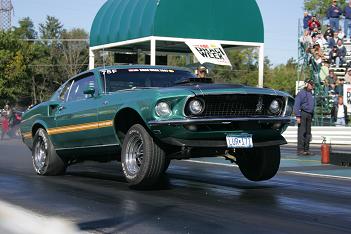
1969 R code Mach 1, 490" supercharged FE, 9.35 @ 151.20, 2007 Drag Week Runner Up, Power Adder Big Block
2005 Ford GT, 2006 Drag Week Winner, 12.0 Daily Driver
1969 Ford Galaxie XL, 460 (Ho Hum....)
1964 Ford Galaxie 500, 510" SOHC




 
 Respond to this message   


(Login oldfordman)
Members

Thanks to both

October 19 2008, 6:50 AM 

Jay I thank you and Royce for responding. I haven't worked up to trying those tips but may today.

Thanks Again
Paul W

 
 Respond to this message   
Current Topic - Posting Photos
  << Previous Topic | Next Topic >>Return to Index  

Help keep our FordFE.com forum free of banner advertising and pop-ups!